
Location management
Bring the Google Business Profile locations you manage into one list
Connect Google, choose which of your accessible locations to manage, and see each one's listing details and recent performance side by side.
Sign in to MX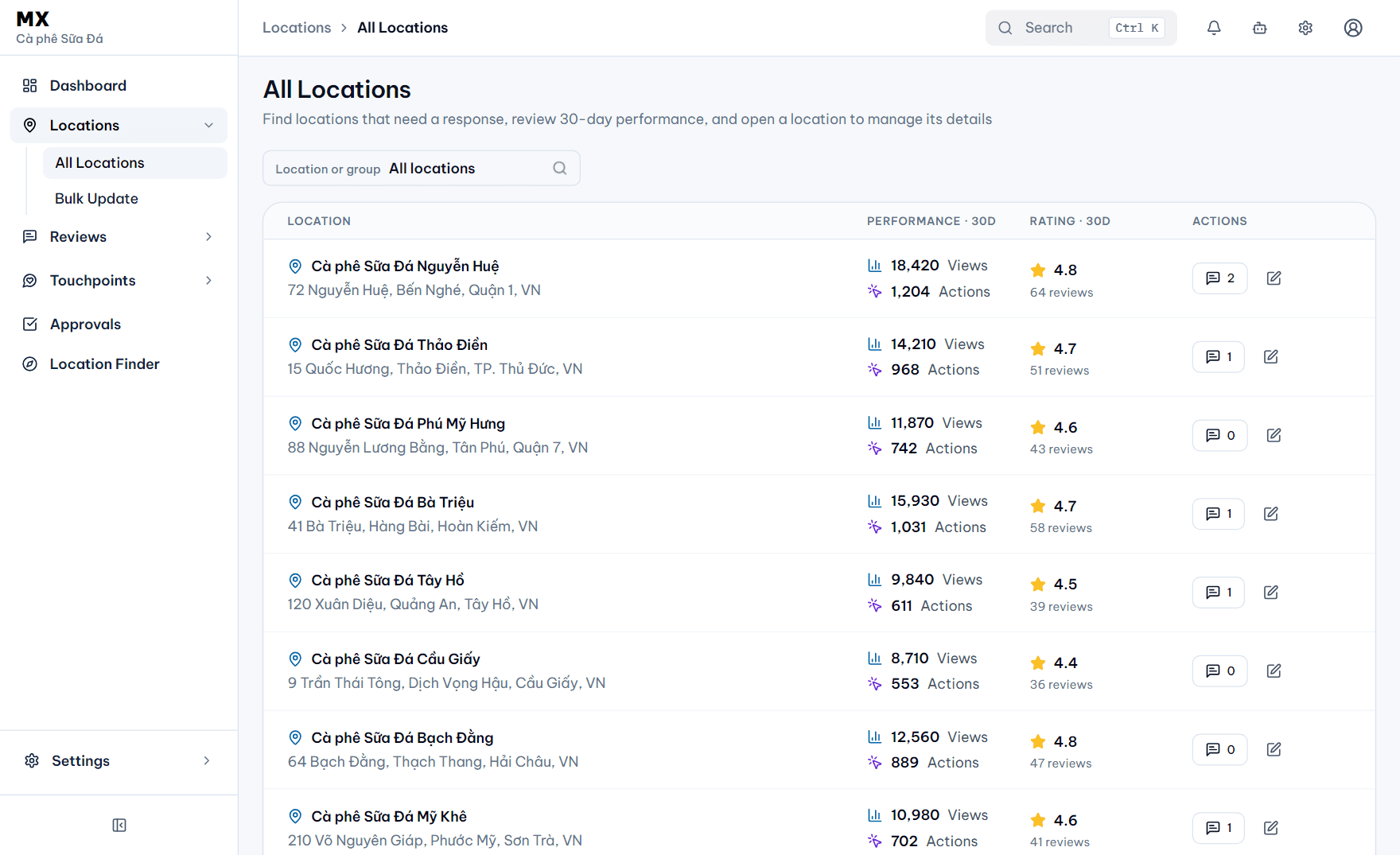
You choose the locations
Pick from the locations your Google account is authorized to access. MX never transfers ownership of a Business Profile.
30-day performance per location
Views, customer actions, rating and review counts for every location, ready to compare.
Edit one location at a time
Update a location's listing details in MX. Each change is initiated or approved by an authorized user before it is sent to Google.
Conflicts made visible
When a field on Google differs from MX, MX shows the conflict so your team decides which value to keep.
Google data this feature uses
Location identifiers, listing details and available performance data for the locations you add to MX.
How MX uses Google data